
If you’ve ever lost a day of your life to a slow WordPress host, you know how painful it is: pages timing out, random errors, support telling you to “disable your plugins”.
That’s exactly why I moved my own projects to Kinsta, a managed WordPress hosting built on Google Cloud.
In this Kinsta review (2025 update), I’ll show you real-world pros, cons, speed results, pricing – and who should not use it.
Transparent note: this article contains affiliate links. If you decide to try Kinsta through my link, I may earn a commission at no extra cost to you – and it helps me keep testing tools honestly.
Quick Verdict: Is Kinsta Worth It in 2025?
If you value speed, uptime, security and support, Kinsta is one of the best managed WordPress hosts I’ve used so far.
- 🚀 Speed: extremely fast under load (built on Google Cloud C2/C3).
- 🛡️ Security: malware scanning, firewall, free SSL, automatic backups.
- 🙋 Support: real WordPress experts 24/7 via chat.
- 🧩 Best for: online businesses, blogs with growing traffic, membership sites, agencies.
It’s not the cheapest option – and it’s not ideal for hobby blogs on a tight budget.
But if your site brings leads, sales or clients, the extra performance can pay for itself.
Why I Switched to Kinsta (Real Problems I Had Before)
Before Kinsta, I was using a typical shared hosting plan. On papel it looked fine. In real life:
- Pages were loading in 4–7 seconds during peak times.
- Every time I launched a small campaign, the site would slow down or even crash.
- Support usually blamed plugins or said “everything looks fine on our side”.
If this sounds familiar, here’s what changed after migrating to Kinsta:
- Page load time dropped to under ~1–2 seconds on key pages.
- The site kept stable during traffic spikes.
- I stopped wasting hours opening tickets and guessing what was broken.
This review is not just about specs; it’s about what actually changed for day-to-day use.
Key Features That Make Kinsta Different
1. Google Cloud C2/C3 + Premium Network
Instead of cramming thousands of sites onto one cheap server, Kinsta uses Google Cloud’s premium tier network.
That means:
- Isolated containers for each site
- Auto-scaling resources
- Data centers close to your visitors

2. Built-In Performance Optimization
You don’t need 10 extra plugins just to make the site usable. Kinsta already includes:
- Server-level caching
- CDN via Cloudflare
- PHP 8.x, database tuning, and other optimizations behind the scenes
Result: your site can handle more visitors with the same content.
3. Strong Security & Backups
Security is often something we only remember after something bad happens.
Kinsta helps a lot here:
- Free SSL certificates
- Automatic daily backups (with one-click restore)
- Monitoring & malware scanning
- Hack fix guarantee (they help you clean if something happens)
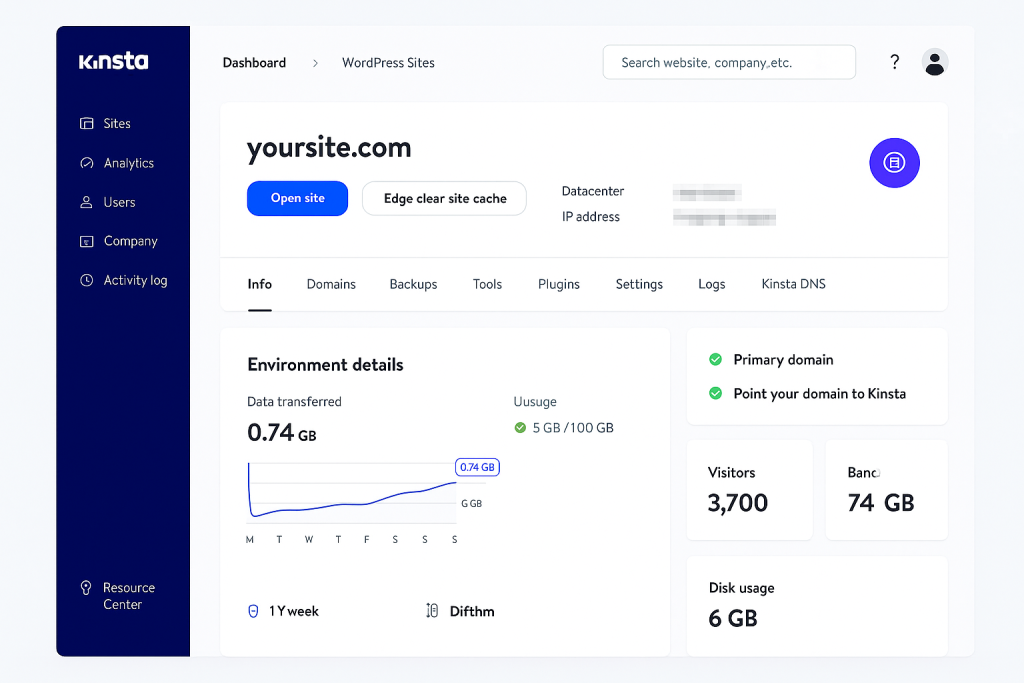
4. Admin Panel (MyKinsta) That Non-Tech People Can Use
I was surprised how friendly the MyKinsta dashboard is:
- Clear view of your sites, usage and analytics
- One-click staging (you can test changes before pushing to live)
- Easy redirects, logs, cache clearing and more
Kinsta vs Shared Hosting (Simple Comparison)
| Feature | Typical Shared Hosting | Kinsta Managed Hosting |
|---|---|---|
| Server type | Overloaded shared server | Google Cloud C2/C3 |
| Speed under load | Slows down / timeouts | Stays stable, fast |
| Backups | Manual or paid add-on | Automatic daily |
| Security | Basic | Firewall, monitoring, hack fix |
| Support | General hosting support | WordPress-specialized |
| Best for | Hobby sites, test blogs | Business sites, serious projects |
Who Is Kinsta Perfect For?
1. Bloggers & Content Creators
- You’re publishing consistently
- You get traffic from Google or social media
- Each downtime hurts your audience and your income
Kinsta helps keep your site loading fast so you can focus on writing, not fixing servers.
2. Small Business & Service Providers
- You use your website to generate leads, bookings or sales
- You don’t have a tech team in-house
- You want someone to “babysit” the hosting layer for you
With Kinsta, you get predictable performance + support that actually understands WordPress.
3. Agencies & Freelancers
- You manage multiple client sites
- You need staging environments and quick rollbacks
- You want a centralized dashboard, not 20 logins scattered around
Kinsta’s multi-site tools and analytics make it easier to manage multiple projects.
Pros & Cons (Honest Snapshot)
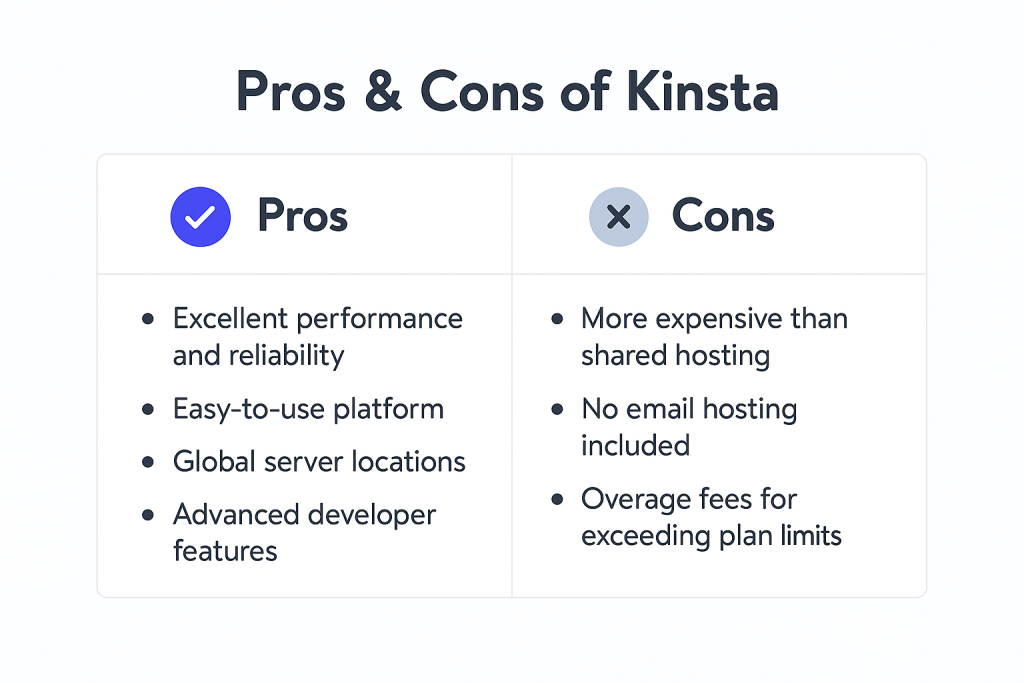
Pros
- Excellent speed and uptime
- Top-tier support with real WP knowledge
- Easy staging / backups / restores
- Strong security features built-in
- Clear, modern dashboard
Cons
- More expensive than basic shared hosting
- Overkill for hobby sites with tiny traffic
- WordPress focus only (not for random static sites unless you use their Application/Database hosting)
How to Get Started With Kinsta (In 5 Minutes)
- Choose a plan
- Create your account
- Use free migration (if available for your plan)
- Test your live site
- Monitor for a week
FAQ: Common Questions About Kinsta
1 – Is Kinsta good for beginners?
Yes – as long as you’re not just testing WordPress for the first time.
The dashboard is simple, and support is very helpful, but o preço faz mais sentido quando o site já é importante pra você.
2 – Can I host multiple sites?
Yes. Kinsta has plans that support multiple WordPress installs, perfect for freelancers and agencies.
3 – What if I already use another host?
You can use Kinsta’s migration service or migrate manually.
In many cases, they move the site for you with minimal or no downtime.
4 – Does Kinsta replace my CDN or security plugin?
Often yes
- CDN Cloudflare + caching
Final Thoughts: Is Kinsta Right for You?
If your website is just a personal experiment, Kinsta is probably more hosting than you need.
For my projects, the switch to Kinsta meant less firefighting and more time creating.
If that’s the kind of peace of mind you want, it’s worth testing.